
Kind of wierd that i even need to write this blog post but i did have some issues getting the vSAN Snapshot Service deployed.
I was writing a powershell automation to simplify this, and while asking William Lam some questions, it was discovered that he’d beaten me to it.
So if you want to take the easy route, i highly recommend you do this using powershell with his automation https://williamlam.com/2024/07/automating-deployment-of-vsan-data-protection-ova-with-powercli.html
I do still recommend you read the pre-req notes below though since these still apply.
UI Method / Pre reqs
- You need to have created a A/PTR DNS record, that has had time to replicate to the DNS server that the vCenter will use to reach the vSAN Snap Appliance. Without this it all falls apart!
- Most cumbersom task is obtaining the certificate of the vCenter server.
Downloading Appliance
So where is this thing?
go to https://support.broadcom.com , and login.
Select My Download in the left menu.
Go to Page 2 in the bottom right.
Select VMware vSAN
Select VMware vSAN .. again
Select Release 8.0
To the right of VMware vSphere Hypervisor (ESXi), select View Group.
At the top, select Drivers & Tools submenu.
Now you can see the VMware Snapshot Service Appliance.
Deploying
As stated in the pre-req, go ahead and create the DNS entry nice and early. If you do this on one DNS server, and your replication is every 15 minutes, odds are vCenter will ask the wrong DNS and the appliance wont be able to register =p
Next we need to download the vCenter certificate. Open up a browser and navigate to https://vcenter.example.com/certs/download.zip
Once the download.zip package has been downloaded, extract it.
You will be presented by 3 folders
– lin
– mac
– win
We need the stuff in the lin folder. Depending on how your vCenter topology looks like (ELM, etc) you will find multiple certificates.
The one we need ends with .0 (ignore the .r0). To find the correct certificate create a COPY of each certificate, and change the file extention to .crt , this means we can easily inspect it with built-in windows tools. Should look something like the below when you’re done.
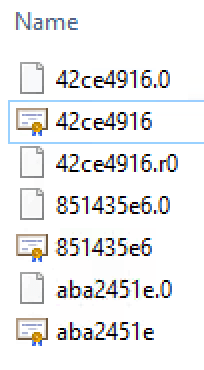
Now, open each of the certificates and inspect them until you find one with a Subject that matches your vCenter.
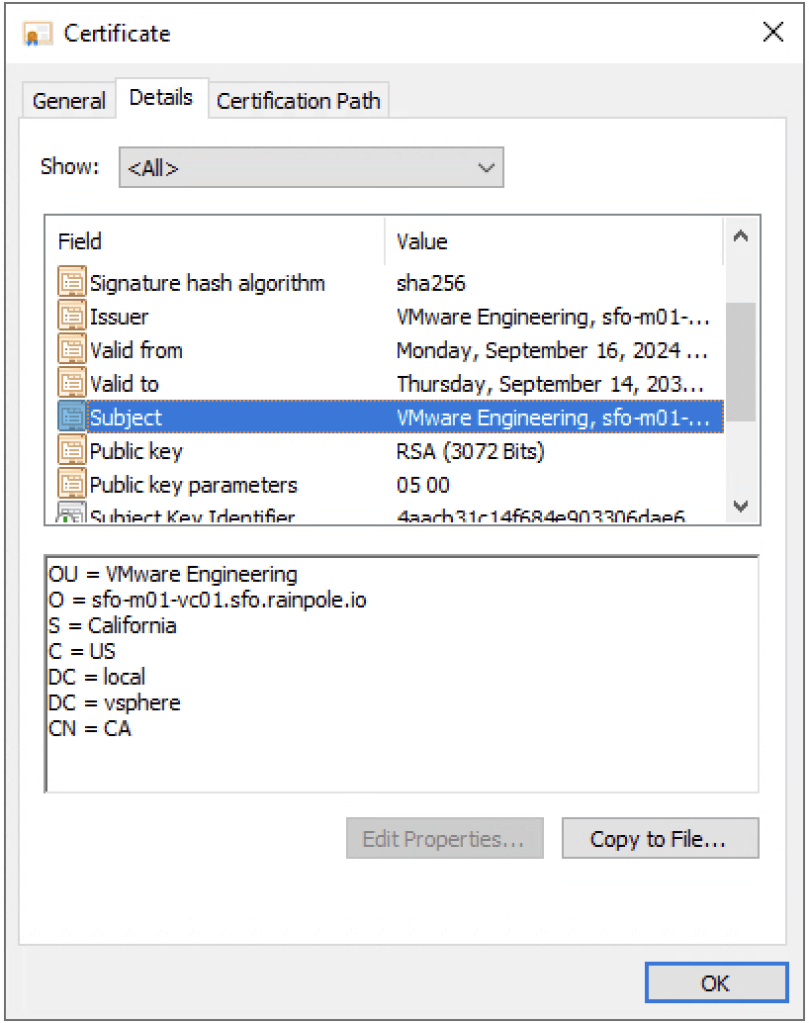
Great! Now we know that the certificate we require is called 42ce4916.0. Open the ORIGINAL certificate called .0 in a text-editor, and copy the entire text including the “begin” and “end”.
Rightclick your Cluster object and select Deploy OVF Template.
Select Local File and provide the downloaded OVA.
Select Next
provide a virtual machine name, in my case sfo-m01-snap, select Next.
Select your Cluster resource, and check Automatically power on deployed VM, select Next.
Select Next.
Select your vSAN, Select Next.
Select the portgroup that houses the IP that matches your DNS record, select Next.
Now provide the values as below. The things i thought where kind of not clear where when it comes to Administrator Username, since it aslo asks for SSO Domain name, should this information be enterd twice, or does the automation join them possibly causing administrator@vsphere.local@vsphere.local ?
No, it doesn’t, it should be enterd twice.
The admin user is also only used to login and register the extension, a service account is then created for the integration.
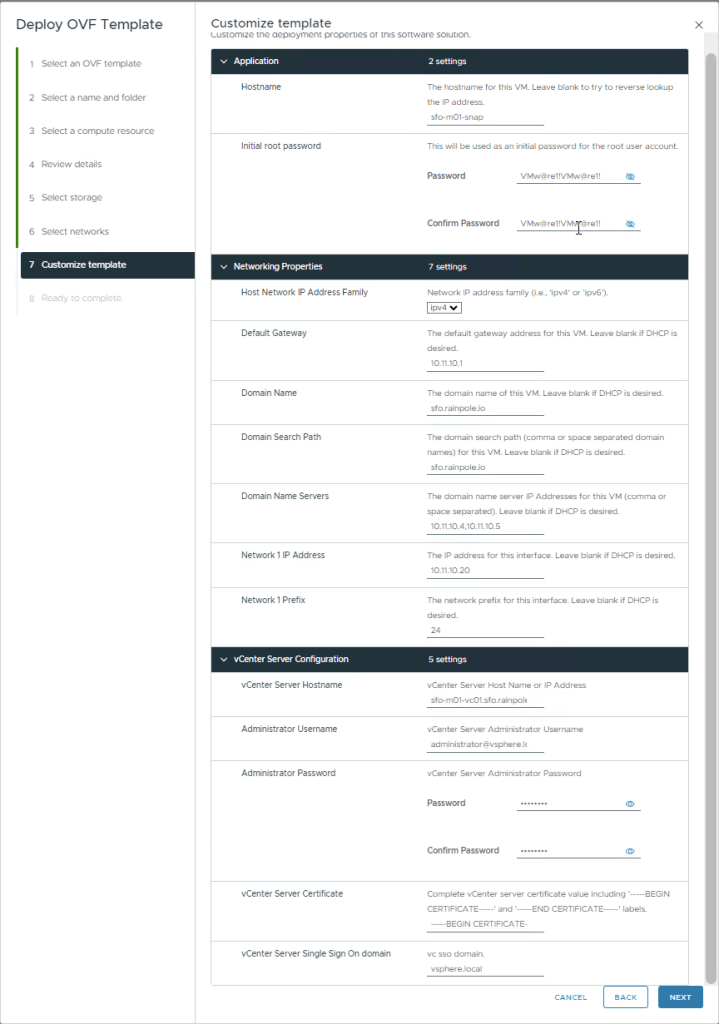
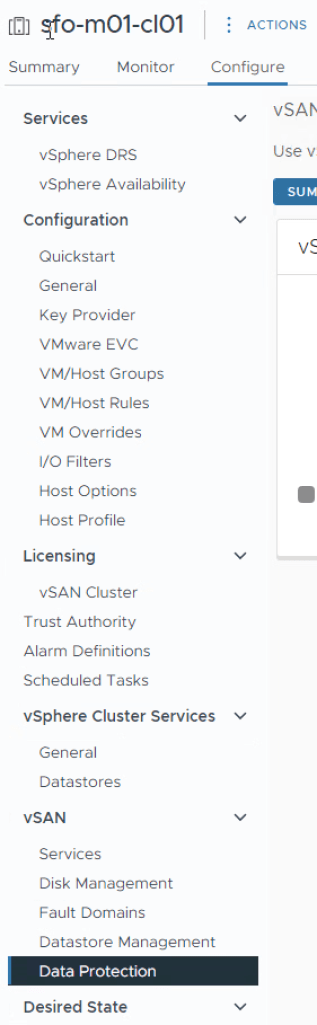
After selecing Next, and Finnish. You should now see the OVA deploy itself, and after a while register itself. You will be required to refresh your webbrowser to then see the integration once it’s registered.
Troubleshooting
If it won’t register, i would first login to your vCenter and try to resolve the address.
If it actually does resolve, ssh into the Snapshot Service Appliance and cat /storage/logs/snapservice, this file will indicate if there’s any issues authenticating to your vCenter, if the certificate is incorrect, etc. The snapservice is actually two containers that run within the appliance.
This was the first release of the Snapshot Service Appliance, i hope that with many other itterations of VMware products, this deployment will actually be performed more seemless from vCenter.
 Every day is a learning day